Clews & Curios · Historical Background
From Tattered Brown Pulp to Brilliant New Editions
How an old dime-novel becomes a Dark Lantern Tales book — the photo-jig, the OCR software, the half-dozen revisions, and the hundred-plus hours per title.
Mark here. Readers have asked me how these stories came to land in a Dark Lantern Tales book. Here, in a couple of parts, is the story in brief.
Detective mysteries in urban settings gradually became more popular in the late 1800s, and some of those are quite readable to an historical-fiction reader now. I have been reading and studying these old stories since my ’teens, and after reading quite a few hundred of these adventures, I have been selecting works for Dark Lantern Tales that, in my opinion, still hold up as a good story. These amount to a very tiny percentage of the many thousands of stories published in the 1870s to 1890s.
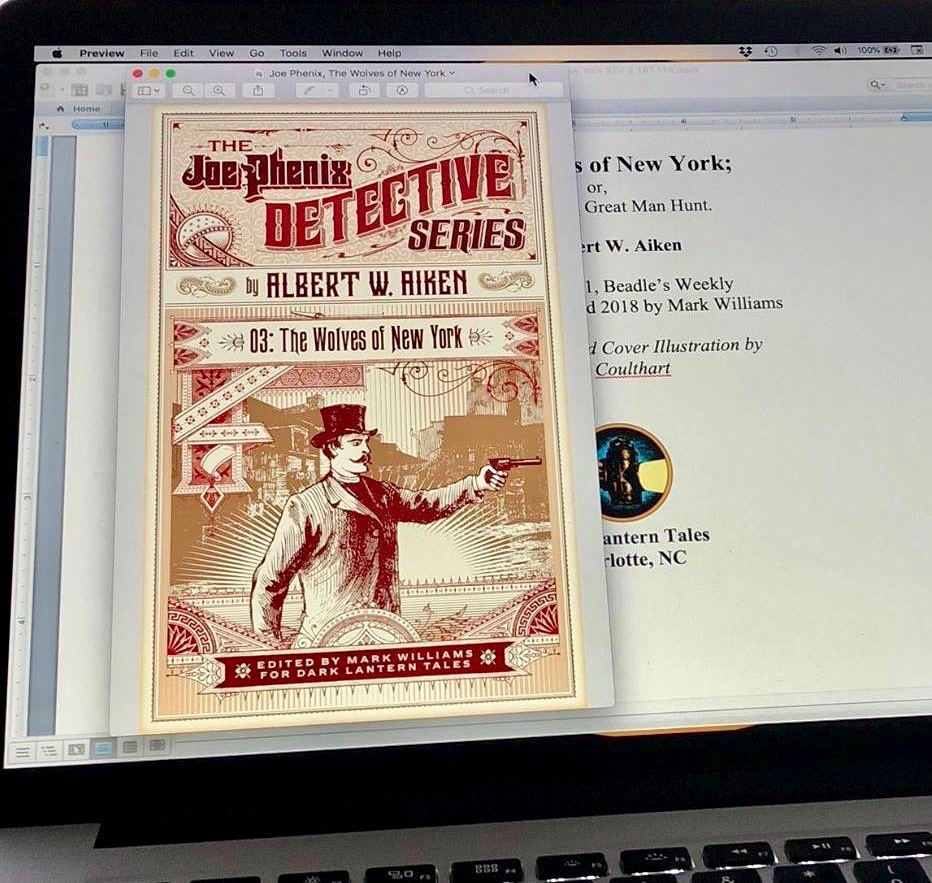
Mark Williams — editor and publisher of Dark Lantern Tales.
Part of my motivation is that as a reader I was disappointed in some of the eBook versions of old stories I bought for myself. “Seven Stories for $1.00” should have been a tip-off to low quality, but I also kept running into badly transferred text in full-price eBooks that appeared to otherwise be well produced. So I am motivated to publish well-crafted and enjoyable editions that please a discerning reader of historical fiction (readers like you and me).
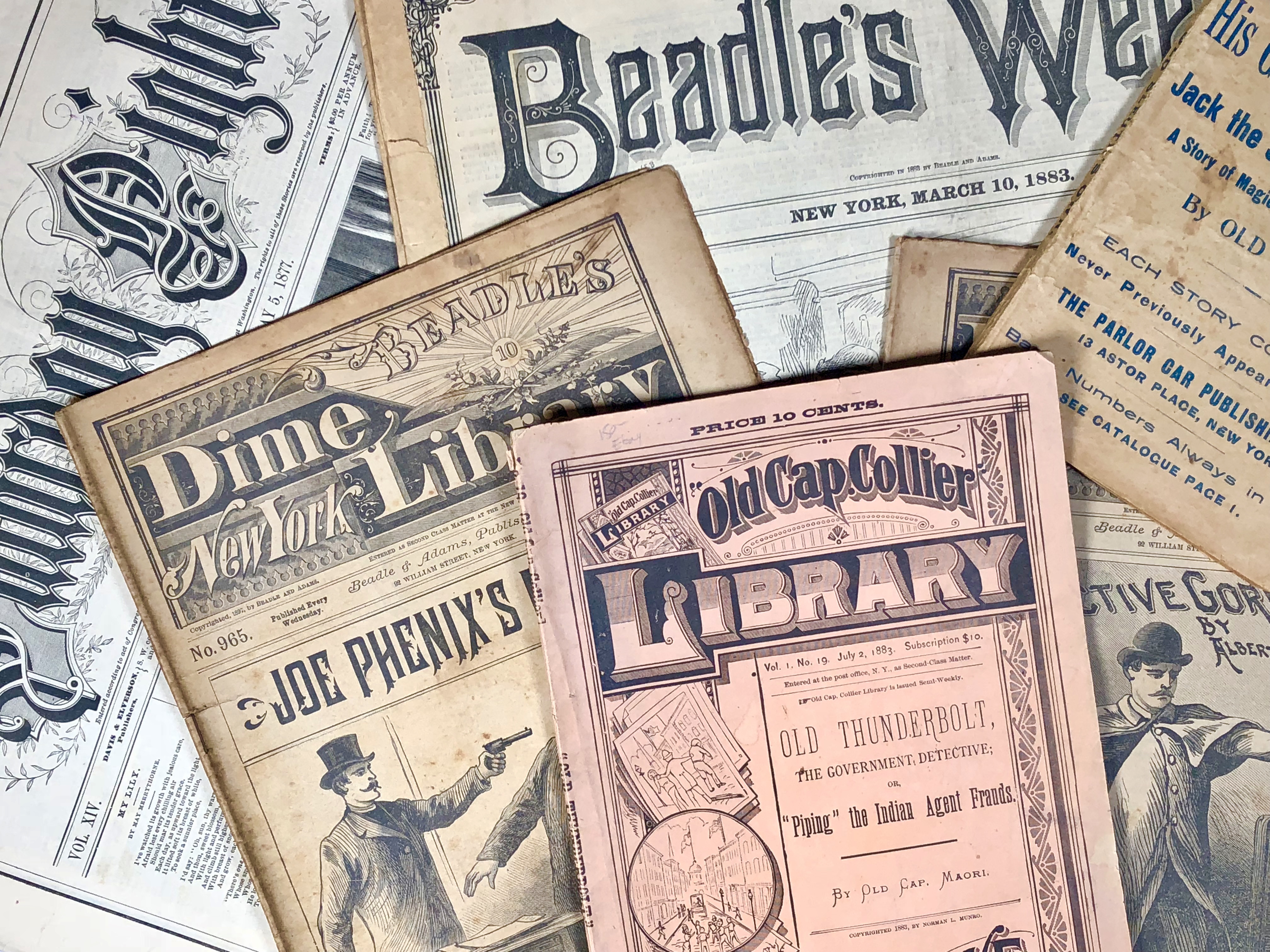
Source material for Dark Lantern Tales.
My sources include originals I have collected over the years, plus scans I can locate online. The copy of a particular story I have may be missing chunks of text, copies online may have different text missing, and if it is a later printing, the plates may be worn to the point where whole lines are unreadable. Referring to multiple copies is useful. Around 1980, a scholastic company made photocopies of quite a few dime-library issues and distributed them to universities on microfilm. Those are rough copies, but they were the only alternative to working directly from originals until recently. Now some universities have high-quality scans. I try to gather two or three sources of the text before setting out to create a Dark Lantern Tales edition.
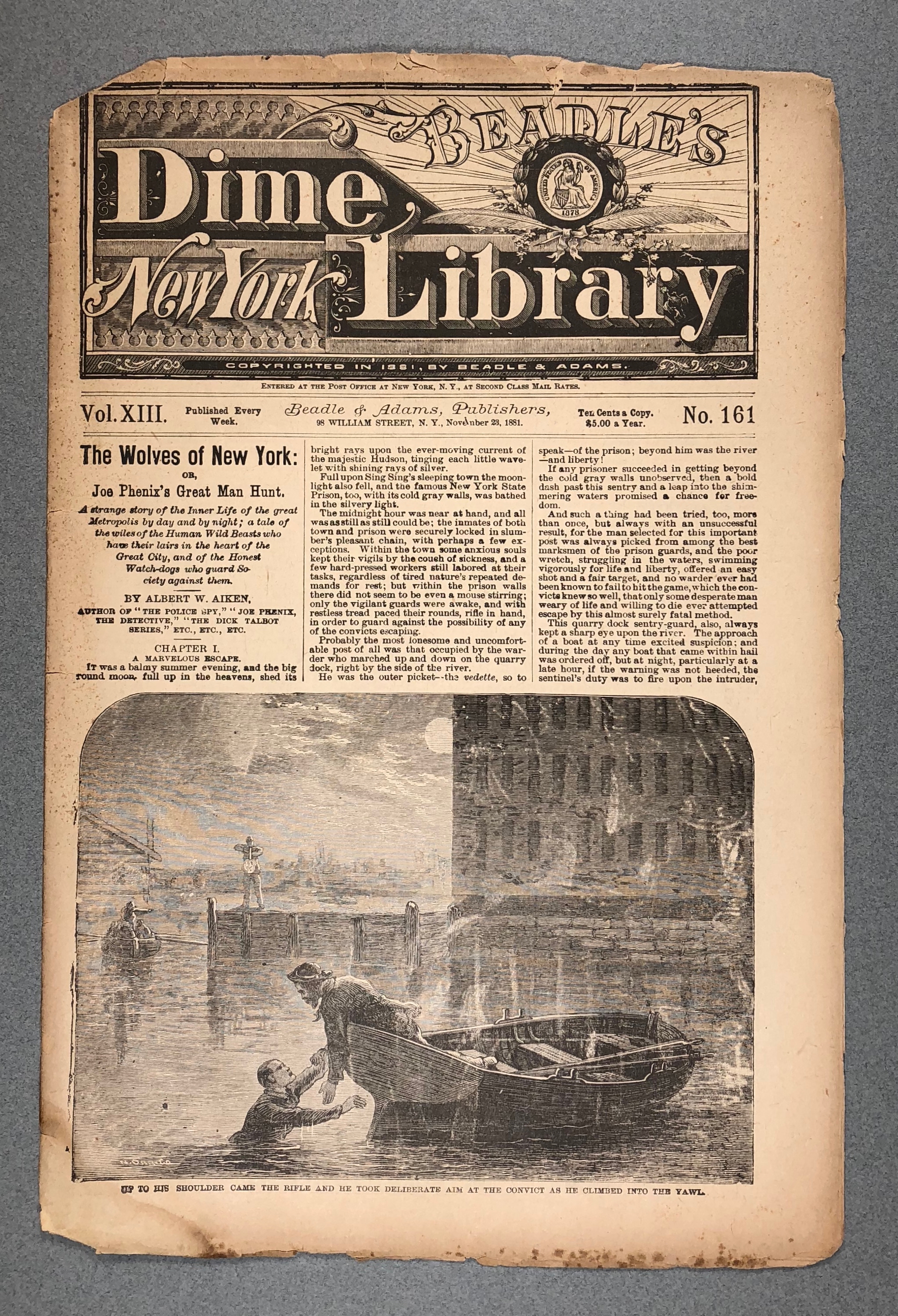
An original 1881 copy of Beadle’s New York Dime Library #161, editor’s collection.
Pulp paper mostly replaced better paper types for popular literature in the decades after the Civil War. Oddly, some earlier publications may exist in much better condition because the paper stock was better. Pulp is basically wood chips and acid; when new it can offer an inexpensive, somewhat white paper stock, but the acid is still in the paper and continues to digest it forever unless chemically stopped. Copies that sat for decades in an attic can be a different story. With such a small quantity of these original publications still around, the best copy that can be found is often brittle and dark brown from acid damage.
When I created a pilot project a few years ago to learn about publishing these editions, I found a later copy of the first story I used that was in very poor condition. It was a “Thick Book,” or what would be called a pocket book now. I deliberately chose that copy because I planned to take it apart and use a scanner. That approach just isn’t sustainable, so after the pilot I completely stopped using a scanner for text images.
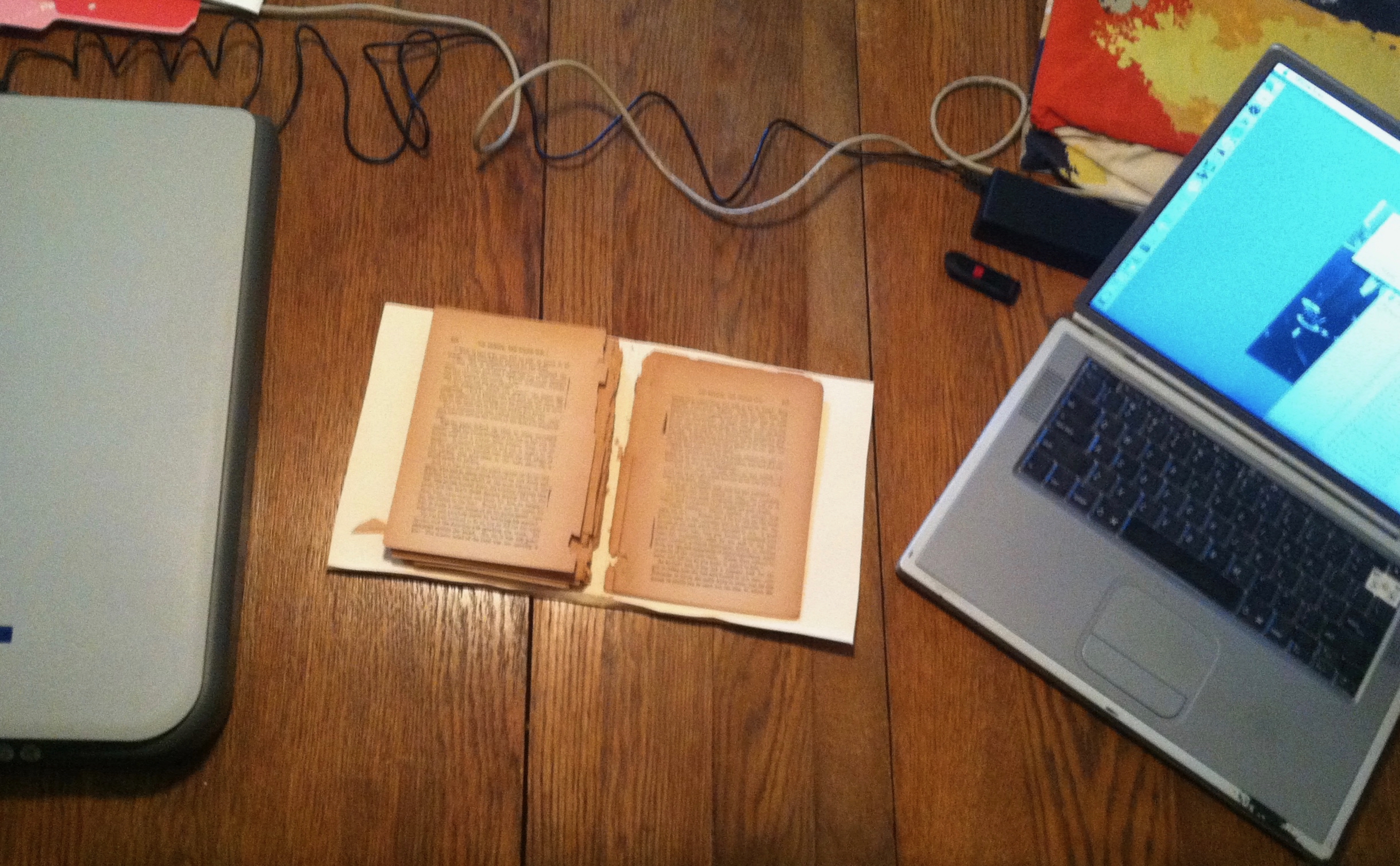
The 2014 pilot project — old book and laptop on the workbench.
The first OCR (Optical Character Recognition) software I used was Prizmo. OCR is necessary to convert the image of text into a document that can be edited. Prizmo had features I liked, such as showing the original image on the left and the image Prizmo had “read” on the right — that made for easier comparisons, but as you may be able to see, the amount of errors could be huge. In defence of Prizmo, the originals were deeply browned and printed from worn plates, but for me, this OCR process was not much better than just transcribing the text by re-typing it.
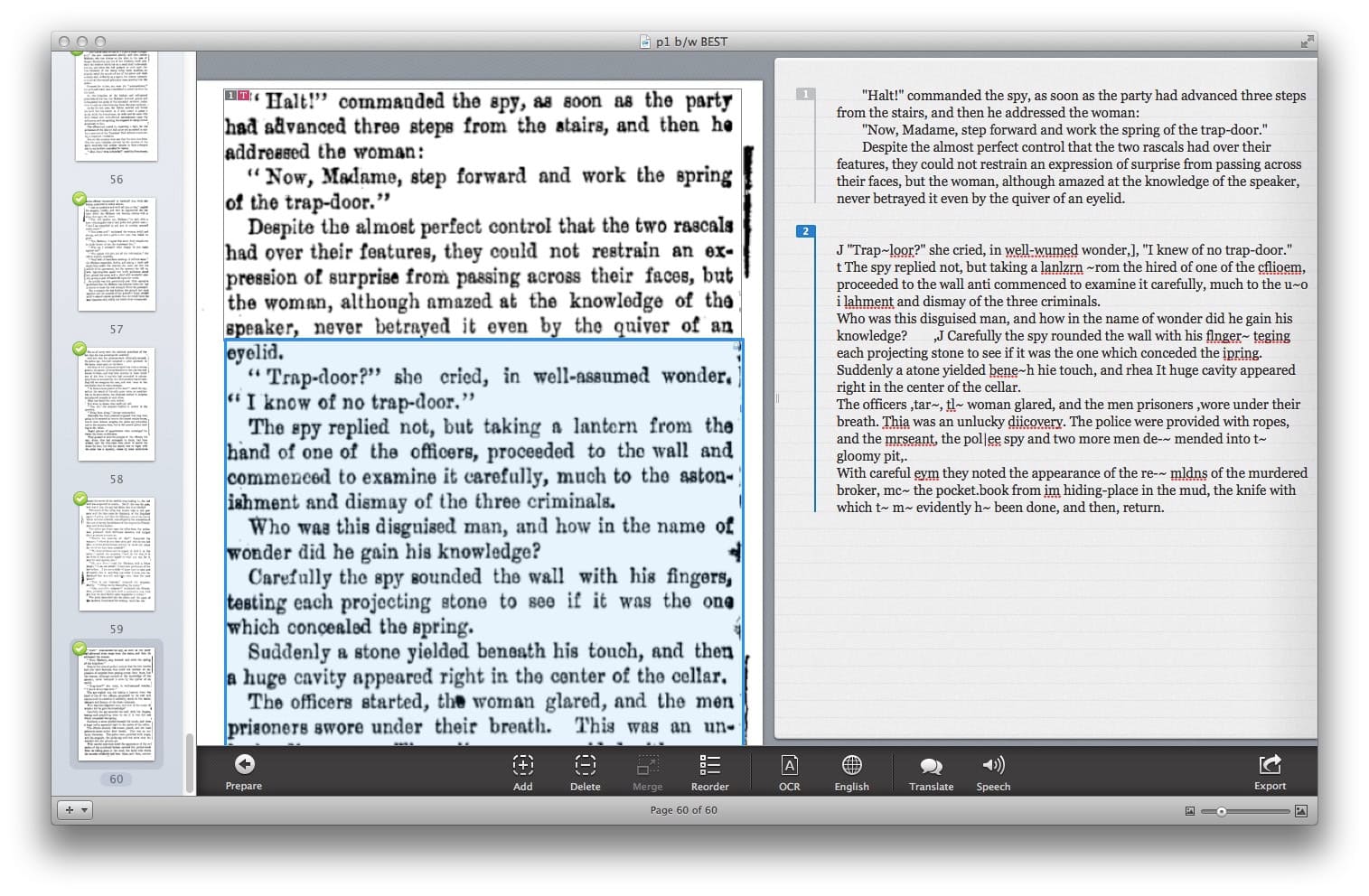
Prizmo OCR in use — original page on the left, software’s reading on the right.
I learned from creating the pilot, and my methods have improved considerably. Here is a dime-library page I recently photographed to begin the process toward a new Steam-Age Crime Stories edition. The page is held by a jig that I made from acid-free mat board, allowing the copy to open to about 95°. The page I am not photographing is held gently in place with a couple of clips and some cardboard. Great care must be taken because the spine is only a fold in the paper and it can split easily.
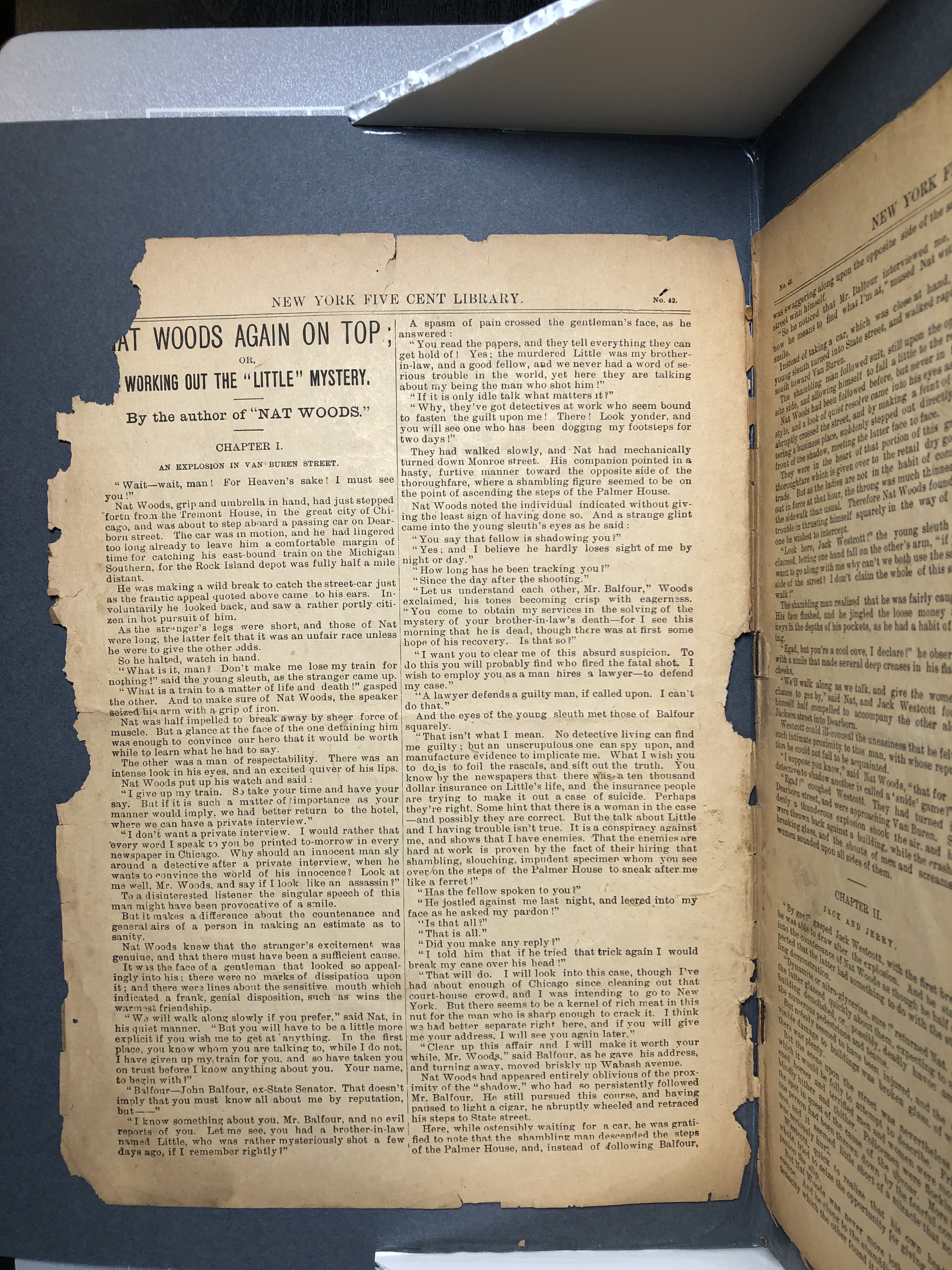
Unprocessed photo of a page, taken on a copy stand with colour-balanced LED panels and a mat-board jig.
The pilot was Joe Phenix, The Police Spy, and a new Dark Lantern Tales edition has replaced my first effort. After what I learned while making the pilot, I was recommended to Finereader ABBYY software for OCR work. For me, it converts images of text to files with fewer errors, and it has provisions for editing and cleaning up the image in lots of ways to reduce errors. Here is Finereader with a page loaded, and work begun to correct the image perspective.
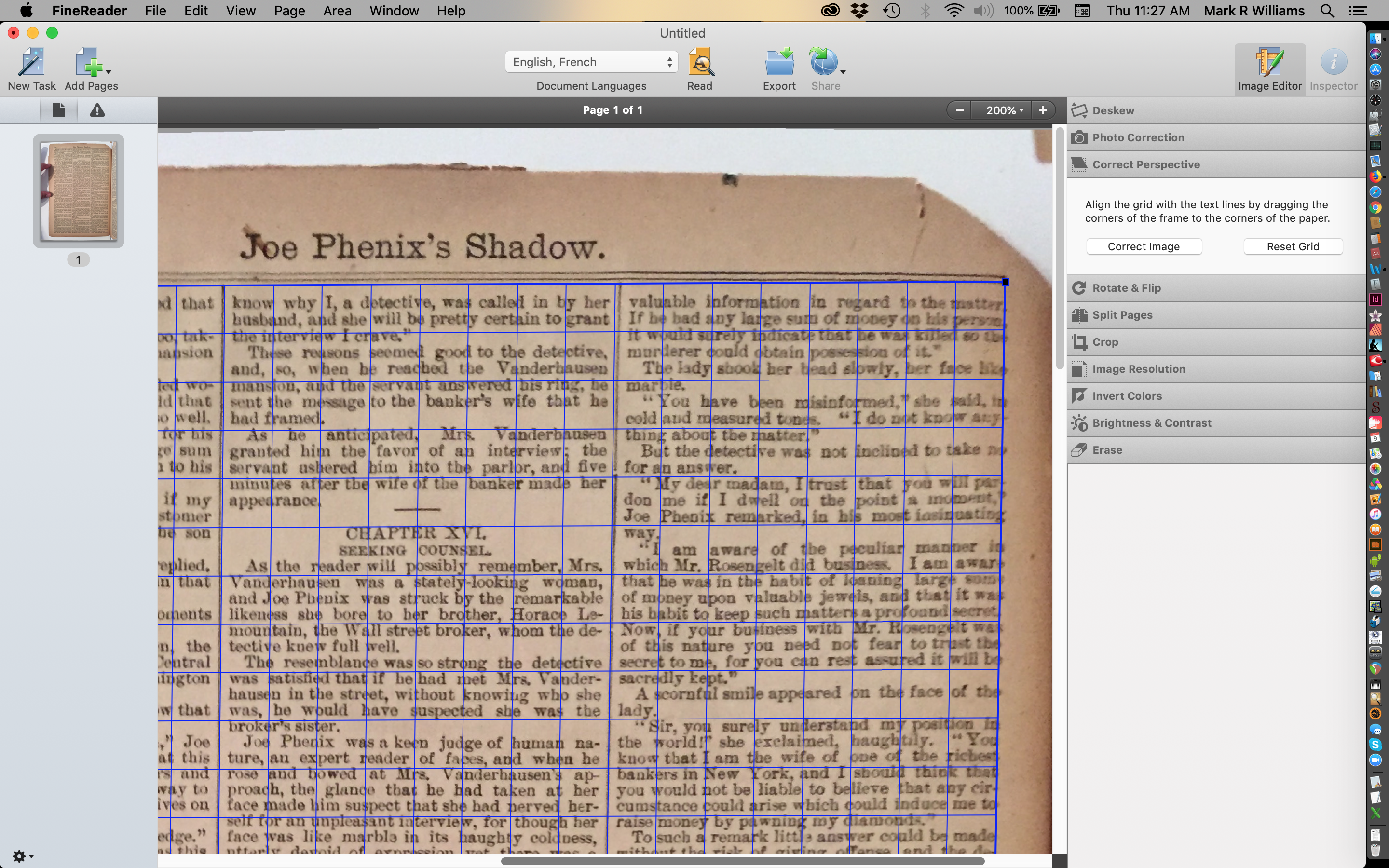
Finereader ABBYY — a page loaded, perspective correction begun.
Once the image has been straightened up with various processes in Finereader, I can chop off image areas that are unneeded — sides, top, bottom — and slice the columns into separate files.

Finereader — cropped image, columns sliced into separate files.
Once those elements are separated, I can further crop the images. All this is to reduce the chance of Finereader attempting to read unwanted visual elements as text. Usually I also remove spots from foxing or paper blemishes for the same reason — saves time later when I am cleaning up text errors.
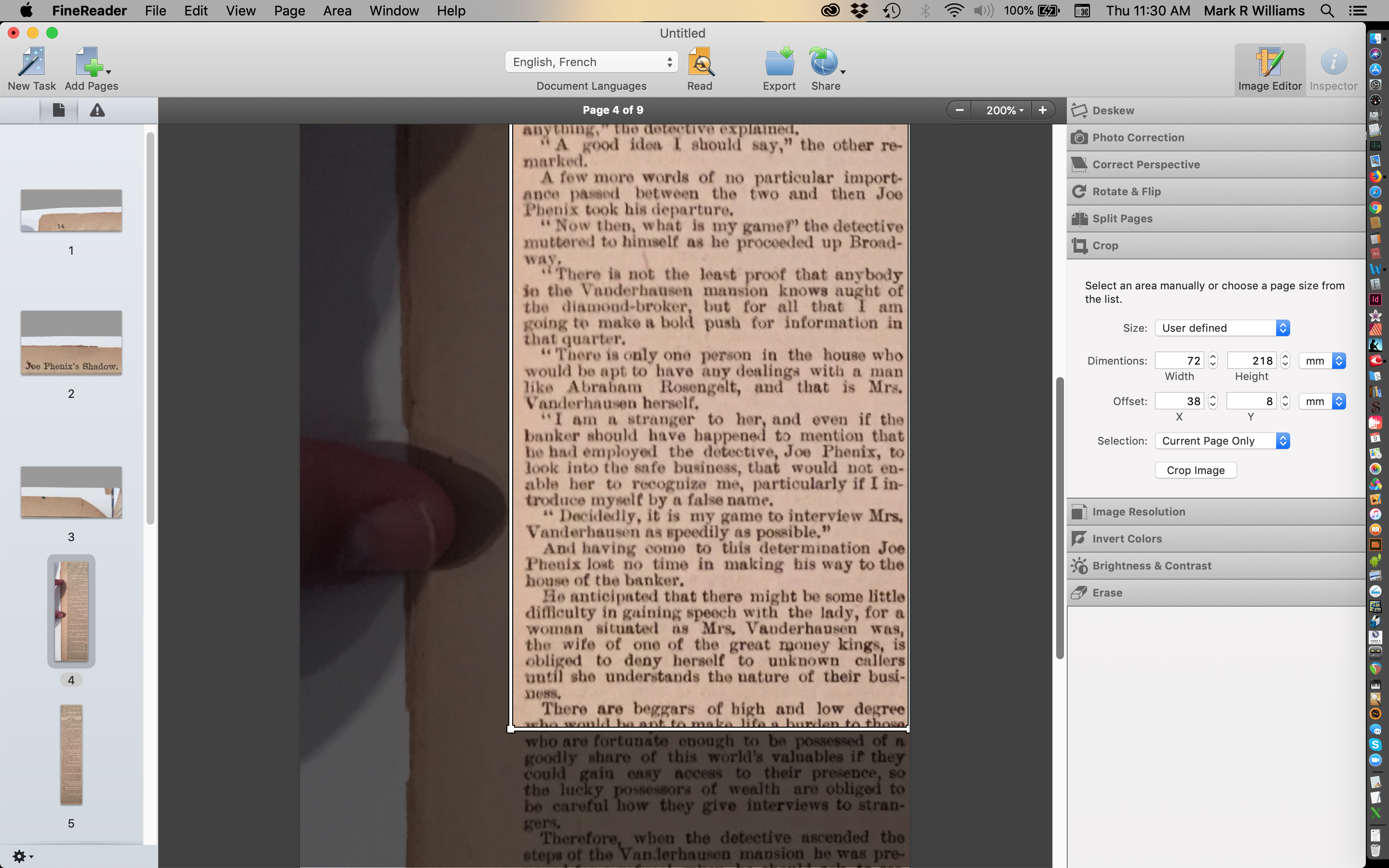
Finereader — final crop pass, foxing spots removed before OCR.
Finereader can export directly to MS Word, but I’ve found that the export typically includes formatting I don’t want. So now I export from Finereader as a text file with almost no formatting. It looks like this:

Finereader text-file export — minimal formatting, easier to clean up downstream.
I import all the text files into a Word docx project and call that the first revision once they are in place. That yields an image like this with the basic formatting from the text file (a few errors are also corrected during this pass):
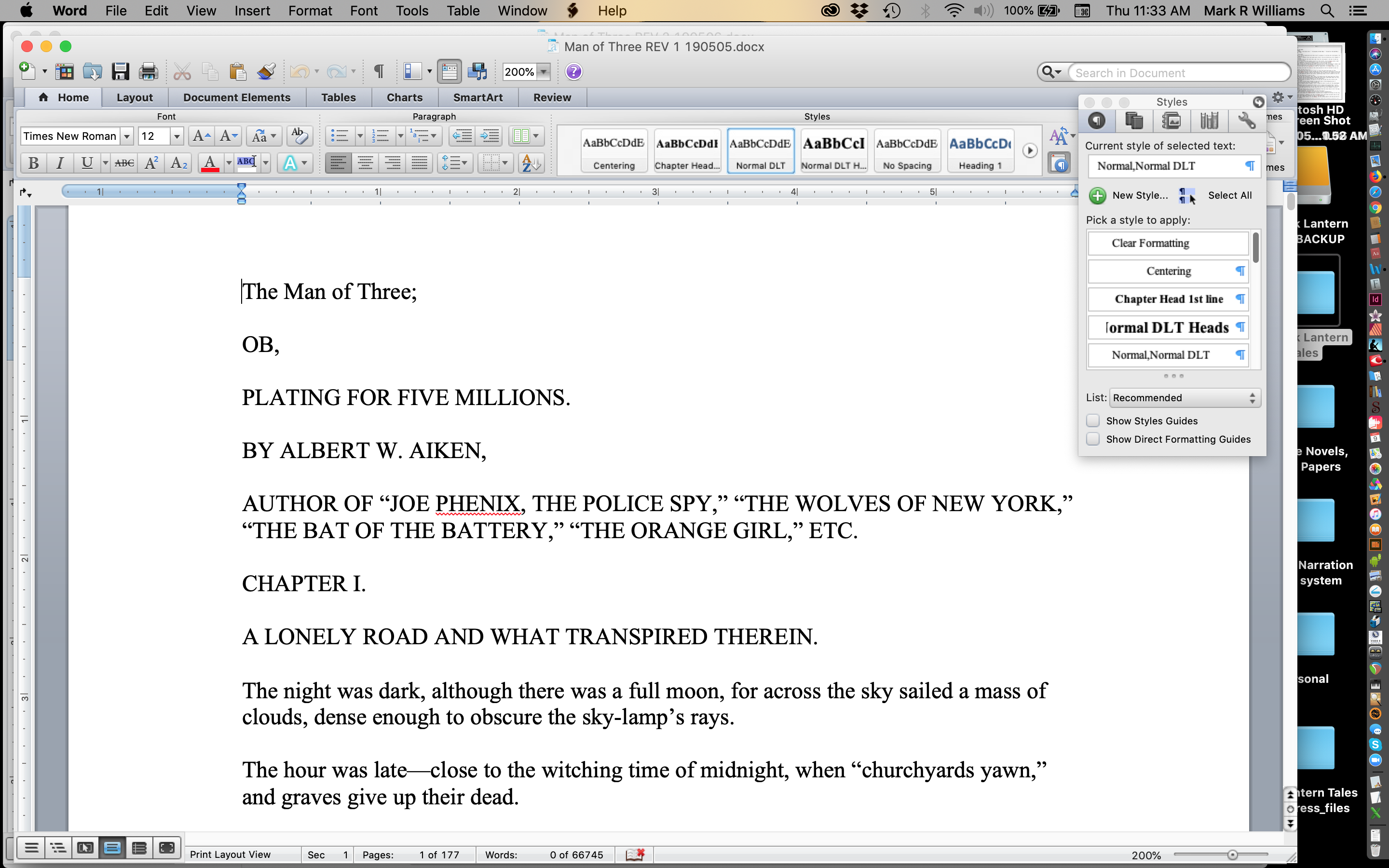
First revision in MS Word — text files imported, minimal formatting applied.
Centering, bold or italic type, line spacing, and more has to be done next. I fix obvious spelling and other errors as I go, but I want to get the whole document to a better state before I seriously dig in to fix typos and OCR errors. After going through the document, revision two looks like this.
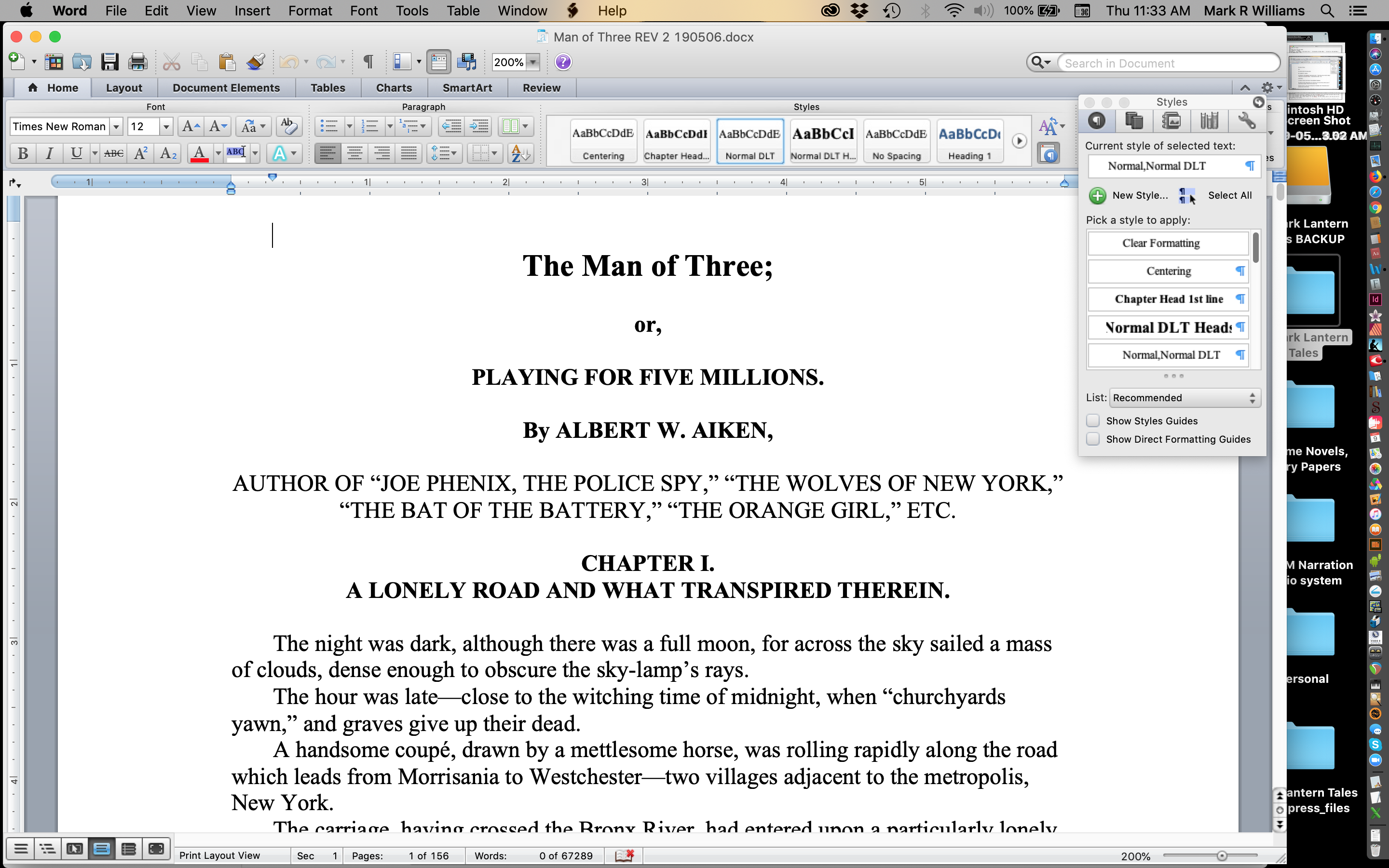
Second revision — centring, italic, line spacing, and a first pass at OCR cleanup applied.
The original printings were made with type set by hand, so spacing can translate oddly through OCR software. Lower-case “h” characters can be made into lower-case “b” characters, and so on. Even with the best of transfers there is still quite a bit of cleanup. I do most by hand, usually going through the book several times just to find most of the errors. I also do sweeps with spelling tools in Word to locate all kinds of things, including extra spaces.
With my best efforts, typos still make it through. Please tell me about any that you see with as much detail (even a screen shot) as you can. I appreciate it.
While working in Word, I usually go through five or six revisions, concentrating increasingly on editing the text more than hunting OCR errors. I keep images of the original pages handy for reference. Each Dark Lantern Tales book represents up to a couple of hundred hours’ work. In Part Two of this article, I’ll talk a little more about editing, images, and formatting for eBooks and Print-On-Demand. Thanks for reading.
“These old stories deserve to be read again.”
— Mark Williams, Dark Lantern Tales